
Our advanced AI technology analyzes facial attributes, image quality, and composition to find duplicates, group similar photos, and automatically keep only your best shots.
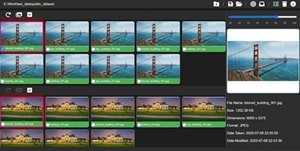
Advanced tools to organize and clean up your photo collection
Detect exact duplicates across multiple folders and storage locations with pixel-perfect accuracy.
Identify photos with minor variations and group them together with customizable similarity thresholds.
AI automatically selects the best photo from each group based on multiple quality attributes.
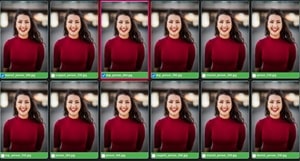
Detects eyes open, aligned gaze, head position, and smiles to find the perfect group photo.
Evaluates sharpness, brightness, and colorfulness to ensure the highest quality image is preserved.
Works seamlessly with Google Drive, OneDrive, iCloud Photos, Google Photos, and local folders.
Screenshots showing the application's capabilities
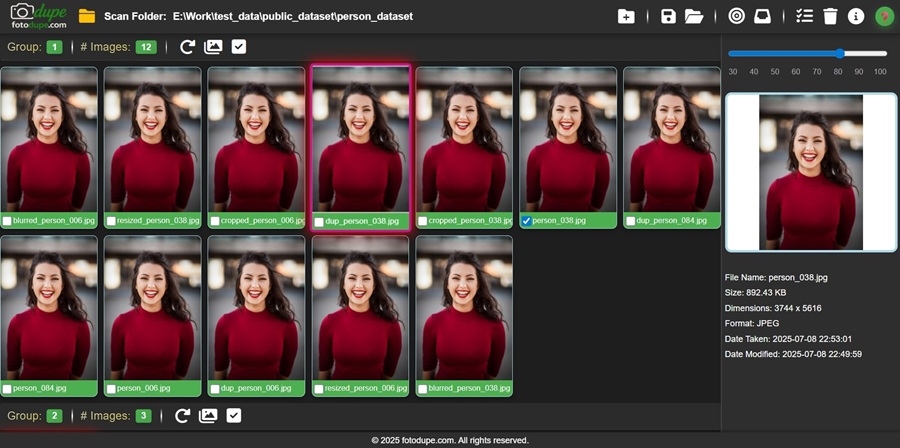
Group similar photos with AI technology
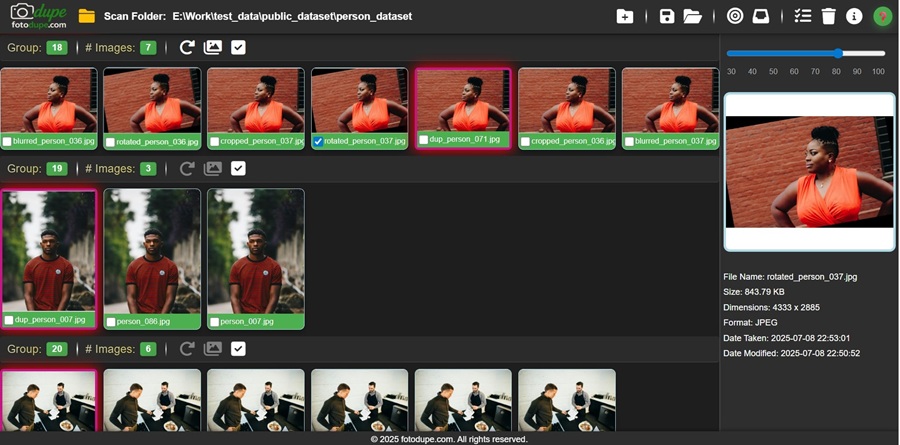
Automatically choose the highest quality photo
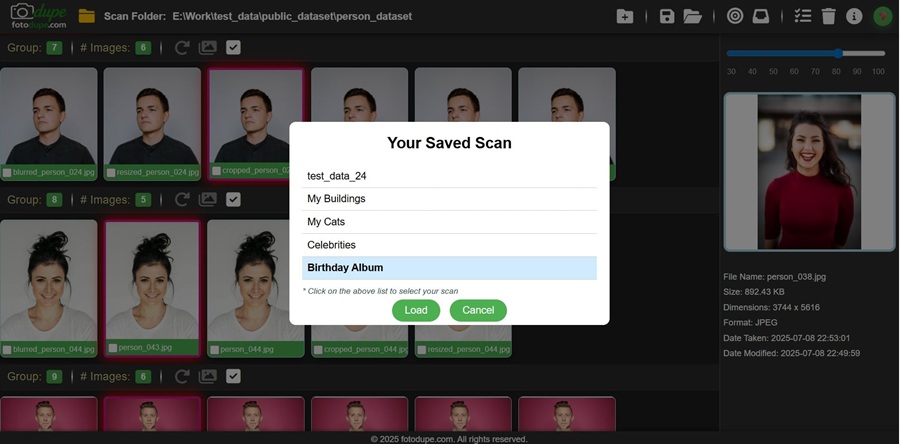
Intuitive controls for managing your photos
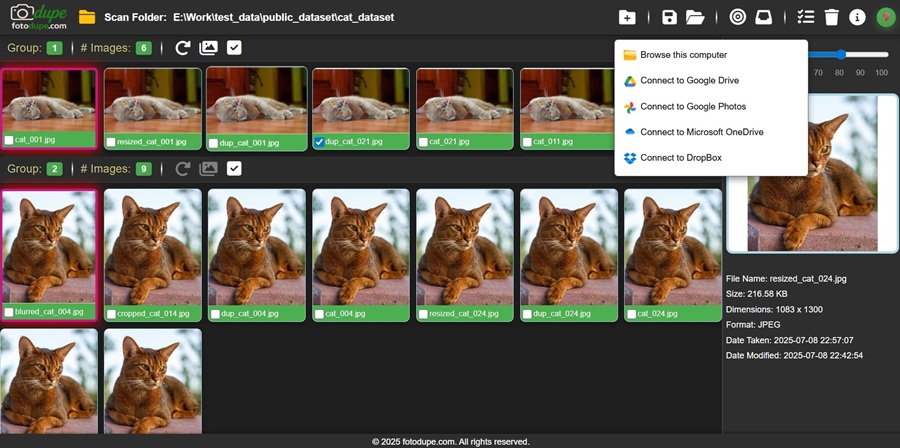
Seamlessly work with various cloud storage providers
See how our AI technology can streamline your photo collection
Powered by state-of-the-art image processing models
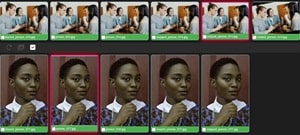
Our AI automatically identifies and groups similar images, even those taken at different angles or lighting conditions, making it easy to select the best shots.
The system analyzes eyes (open, looking straight), head position, smile quality, and facial expressions to help you keep only the best photos.
Automatic assessment of image color balance, brightness, contrast, and overall colorfulness to ensure you keep the most visually appealing photos.
Images are ranked based on multiple factors including sharpness, composition, and subject focus to identify the best shot from each group.
Advanced object detection identifies people, pets, landscapes, and common objects in your photos, making it easy to organize and search your collection by content.
AI automatically generates relevant tags for your images based on scene content, people, locations, and activities, creating a searchable and well-organized photo library.
We take security and privacy seriously
All image analysis and processing happens directly on your device. Your photos never leave your computer unless you explicitly use cloud storage options.
Your photos are processed only by our AI algorithms. No humans have access to your photos at any point in the process.
Our application enforces strict RBAC principles to ensure that only the application itself has access to your images, not humans or other systems.
Any temporary copies created during processing are securely deleted once the task is complete, leaving no trace of your images on our systems.
When cloud features are used, all data transfers are protected with industry-standard encryption protocols ensuring your images remain private during transmission.
Our privacy policy clearly explains what data is collected, how it's used, and gives you control over your information with easy opt-out options for any analytics.
What sets our solution apart from others
Our proprietary AI algorithms analyze images at a deeper level than simple pixel comparison, understanding content context and quality attributes.
Process thousands of images quickly with optimized algorithms that minimize memory usage while maximizing accuracy.
All processing happens on your device - your photos never leave your computer unless you explicitly use cloud storage options.
Intuitive design makes organizing even large photo collections simple, with no technical expertise required.
Seamlessly work with local files and popular cloud storage providers, giving you flexibility in how you manage your photos.
Our team is committed to helping you get the most out of our software with comprehensive documentation and responsive support.
The team behind uxphoto.com

We are a team of passionate photographers and AI engineers who understand the challenges of managing large photo collections in the digital age.
After years of struggling with our own growing photo libraries - filled with duplicates, similar shots, and varying quality images - we decided to create a solution that would make photo organization simple and effective.
Our mission is to help people rediscover and preserve their best memories by eliminating clutter and highlighting their highest quality photos. We combine state-of-the-art AI technology with an intuitive user interface to create a tool that anyone can use.
Based on our expertise in computer vision and image processing, we've developed a system that doesn't just find exact duplicates but understands image quality and can identify the best photo from a series of similar shots.
Have questions or feedback? Get in touch with our team
support@uxphoto.com
+91 9566078264
Monday - Friday: 9am - 5pm IST
Try our software for free
Try our full-featured application for 14 days at no cost.
Version 1.0.5 | Released July 1, 2025
Resources to help you get the most out of our software
Learn how to use our software with these helpful tutorials
Basic introduction to the software
How to connect cloud storage
Making the most of AI tools
How we handle your data
This Privacy Policy explains how we collect, use, disclose, and safeguard your information when you use our uxphoto.com application.
Our application primarily processes images and files that you explicitly select for analysis. We do not collect or transmit your images to our servers - all processing happens locally on your device unless you explicitly use cloud storage features.
When processing local files, our application accesses and analyzes your images solely within your device's environment. No image data or analysis results are transmitted to our servers.
When you choose to use our cloud storage integration features (Google Drive, OneDrive, etc.), our application will only access files you explicitly grant permission to access. We use standard OAuth protocols and only store access tokens, not your login credentials.
We collect anonymous usage data to improve our application, including feature usage patterns and error reports. This information does not include personal data or image content.
If you have questions about this Privacy Policy, please contact us at privacy@uxphoto.com.
Guidelines for using our software
The uxphoto.com software is licensed, not sold. Your purchase grants you a non-exclusive, non-transferable license to use the software according to the terms of your selected plan.
You may not reverse engineer, decompile, or disassemble the software. You may not rent, lease, lend, or resell the software. You may not use the software for any illegal purpose.
We may provide automatic updates to improve, enhance, or further develop our software. The terms of this agreement will govern any updates unless a separate agreement accompanies the update.
This license is effective until terminated. Your rights under this license will terminate automatically if you fail to comply with any of its terms.
The software is provided "as is" without warranty of any kind. We do not guarantee that the software will meet your requirements or that its operation will be uninterrupted or error-free.
Sign in to manage your photos